

TL;DR
Eye strain and digital fatigue come from long screen time without breaks, poor lighting, and screens set too close or too bright.
Small habits help fast. Use the 20-20-20 rule, blink more, lower brightness, reduce glare, and keep your screen at eye level.
You do not need less screen time. You need screen habits that work with your eyes, not against them.
How To Get Your Eyes Back
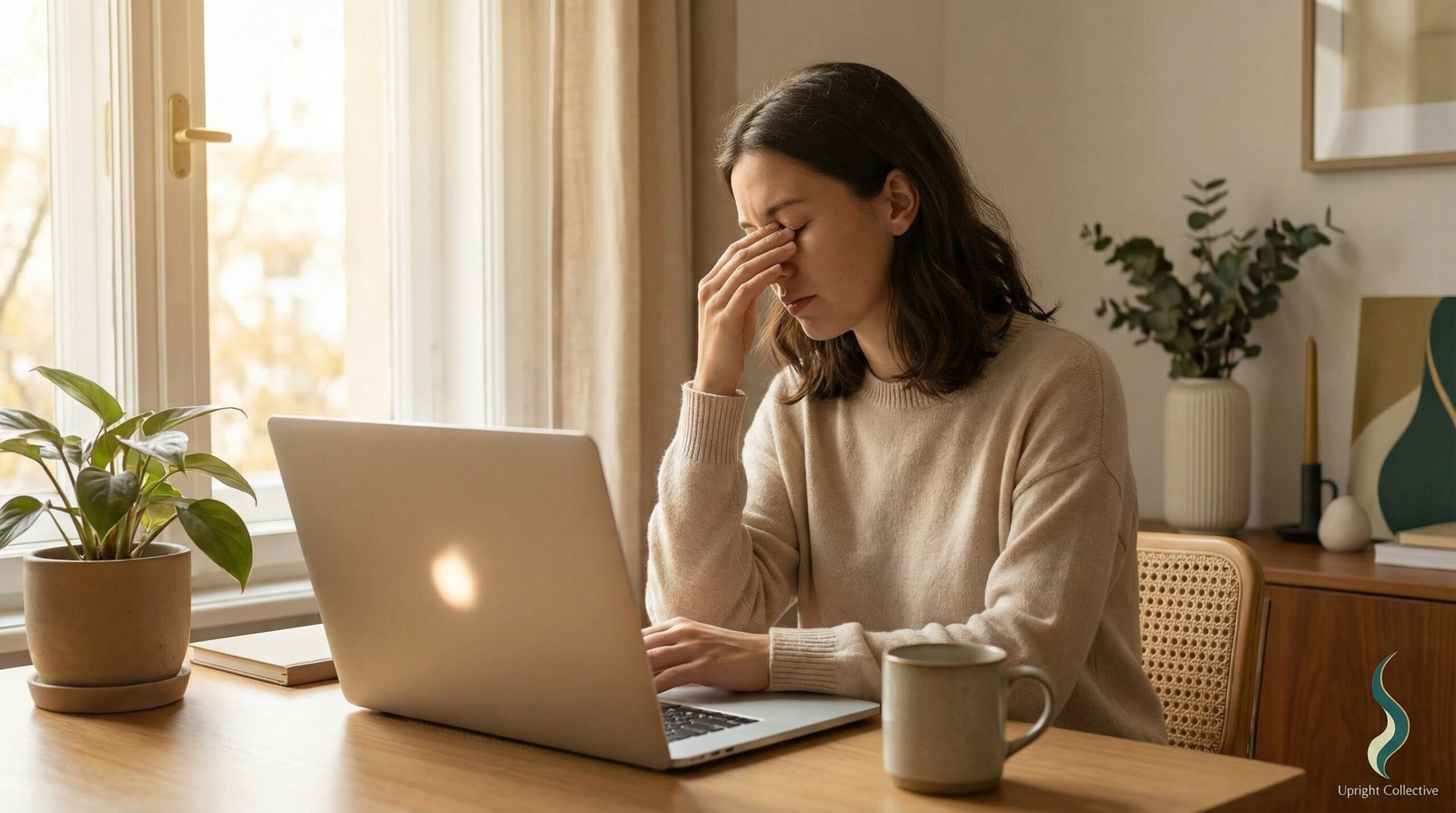
If your eyes feel like they did a 10-hour workout while you just sat at a desk, you are not imagining it. Long-screen days hit your vision first, your focus second, and your mood right after.
Most of us live inside our devices for work, school, and “relaxing” at night. That combo adds up to eye strain, digital fatigue, and it quietly eats into your energy, sleep, and productivity.
In this guide, I will break down what is actually happening to your eyes, the warning signs to watch, and simple daily habits that make screens less punishing. No guilt, no “just use your phone less” lectures, just practical fixes you can start today.
What Is Eye Strain And Digital Fatigue?
Eye strain occurs when your eyes work too hard for too long. Your focusing muscles tighten, your blink rate drops, and your eyes dry out. Screens make that worse because we stare at a bright, close object for hours without a real break.
Digital fatigue is the bigger package that comes with it. Tired eyes, sure, but also brain fog, irritability, tension headaches, and that “I’m fried” feeling after work.
Eye doctors often call this “digital eye strain” or “computer vision syndrome.” If you want the clinical version, this digital eye strain guide spells out the causes and symptoms in detail. But the short version is simple: too much screen time without smart habits wears your eyes out.
Why Screens Wear Your Eyes Out
The problem is not just the number of hours. It is how we use screens.
Here are the big culprits:
- Close viewing distance: Laptops and phones sit 12 to 18 inches from your face. Your focusing muscles stay “on” the whole time.
- Bright, high-contrast light: White backgrounds on bright screens stress your eyes, especially in dark rooms.
- Low blink rate: On screens, you blink less than half as often. Less blinking means less moisture and more dryness.
- Glare and bad lighting: Overhead lights, windows behind your monitor, and glossy screens all add extra strain.
- Static posture: When you lock into one position, tension builds in your neck and shoulders, which can lead to headaches and eye discomfort.
According to the Mayo Clinic overview of eyestrain, almost any sustained close work can cause strain. Still, digital devices crank up the effect because we scroll, click, and focus without natural pauses.
Add a packed schedule, no breaks, and late-night doomscrolling, and your eyes never get a clean reset.
Symptoms You Should Stop Ignoring
Digital fatigue sneaks up on you. It often starts with “just a little tired,” then slowly becomes your normal.
Common signs:
- Burning, dry, or gritty eyes
- Blurry vision after long tasks
- Trouble refocusing when you look away from the screen
- Headaches around your temples or behind your eyes
- Neck, shoulder, or upper-back tension
- Increased light sensitivity
- Feeling wiped out after screen-heavy days
If you notice these most workdays, your routine is not working for your eyes, no matter how “used to it” you feel.
Daily Habits To Reduce Eye Strain Digital Fatigue
You do not need a full lifestyle overhaul. You just need a few automatic habits that protect your eyes while you work.
Small boring changes, big payoff.
Use The 20-20-20 Rule Like A Timer For Your Brain
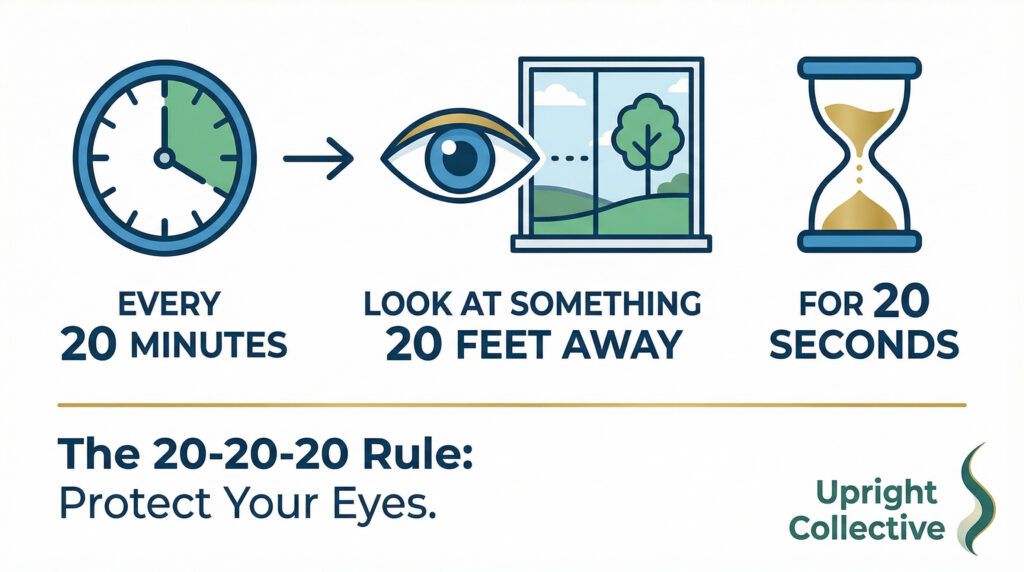
The 20-20-20 rule is simple: every 20 minutes, look at something 20 feet away for 20 seconds.
That short reset lets your eye muscles relax and helps you blink more. It feels trivial, but it works. You can read more details in this 20-20-20 rule explainer if you want the science behind it.
What I recommend:
- Set a repeating timer or use a break-reminder app.
- Stand up when you can, look out a window, or down a hallway.
- Add a few shoulder rolls or a quick chest stretch while you are up.
20-20-20 Rule: What it is and how to use it
| The rule | Every 20 minutes, look at something 20 feet away for 20 seconds. |
|---|---|
| Why it helps | It relaxes your eye muscles and helps you blink more. It feels small, but it works. |
| Set it up | Set a repeating timer or use a break-reminder app. |
| What to do on the break | Stand up when you can. Look out a window or down a hallway. |
| Add a quick reset | Do a few shoulder rolls or a fast chest stretch while you are up. |
| Extra payoff | That tiny pause helps your posture and your brain too, not just your eyes. |
That tiny pause also helps your posture and your brain, not just your eyes.
Affiliate Disclosure
This site includes links to products, tools, and resources I personally find useful. While most links are helpful links to other content that relate to mine, you will also find affiliate links. If you buy through those links, I may earn a small commission at no extra cost to you. Your support helps me keep creating honest, helpful content.
Fix Your Screen Setup And Lighting
If your setup is fighting you, your eyes will always lose.
Aim for:
- Screen height: Top of the screen at or slightly below eye level. You should not be craning your neck up or dropping your chin.
- Distance: About an arm’s length away for monitors. Phones and tablets a bit farther than you think you “need.”
- Brightness: Match your screen to the room. If the screen glows like a flashlight, turn it down.
- Glare: Move lamps or screens so you do not see reflections. Side lighting usually beats overhead.
Harvard Health offers practical ideas for environmental tweaks and visual habits in its tips for reducing eye strain. Think of it as basic home maintenance for your vision.
If you work on a laptop all day, a simple external monitor and a laptop stand can make a big difference. Bigger text, better height, less squinting.
Blink More, And Use Artificial Tears If You Need Them
Your blink rate tanks when you concentrate. The fix is simple, but not glamorous.
- Make a point to do several slow, full blinks every few minutes.
- If your eyes feel sandy or dry, keep preservative-free artificial tears at your desk and use them a few times a day.
That one change alone can cut down on burning and irritation by mid-afternoon.
Use Tools, But Do Not Expect Magic
A few products can help, as long as you treat them as support, not a cure.
- Blue-light filtering glasses: Some people feel less glare and fewer headaches with them, especially at night. Look for clear lenses from a brand that lists its actual filtering range.
- Screen filters or matte protectors: Helpful if you fight reflections and glare from overhead lights.
- Ergonomic chair or sit-stand setup: Better posture means less neck strain, which often means fewer tension headaches and less eye discomfort.
If your budget is tight, start with low-cost wins: a phone or laptop stand, a desk lamp with a warm bulb, and eye drops.
👀 Visit My Benable Page for Product Suggestions 👀
Set Real Breaks, Not “Scroll Breaks”
A “break” where you leave your laptop to check your phone is not a break for your eyes.
Better options:
- Walk to another room with no phone for five minutes.
- Do a quick doorway chest stretch and shoulder rolls.
- Look outside, or at anything far away, while you drink water.
Think of breaks as a reset for your body, not a reward where you grab more screen time.
When You Should See An Eye Doctor
Self-care has limits. Some issues need a pro.
Book an eye exam if:
- You have constant headaches or eye pain
- Your vision blurs or doubles regularly
- One eye feels different or “off” compared with the other
- You have trouble seeing clearly at your normal working distance
An optometrist or ophthalmologist can check for underlying issues, update your prescription, and rule out problems beyond digital fatigue. If you want a deeper clinical read on the condition itself, this research review of digital eye strain breaks down how screens affect the eyes in the long term.
Eye Strain and Digital Fatigue
What is digital eye strain?
Digital eye strain is tired, dry, or blurry eyes caused by long screen use. It often shows up with headaches, tension in your neck and shoulders, and trouble refocusing.
What are the most common signs I should not ignore?
Dry or gritty eyes, blurry vision after work, headaches around your temples, light sensitivity, and feeling wiped out after screen-heavy days. If it happens most workdays, your setup and habits need a reset.
Does the 20-20-20 rule really help?
Yes. It relaxes your focusing muscles and nudges you to blink more. Set a timer: every 20 minutes, look 20 feet away for 20 seconds.
What is the fastest screen setup fix for eye comfort?
Match screen brightness to the room and cut glare first. Then set your screen about an arm’s length away with the top of the screen at or slightly below eye level.
Do blue light glasses work for eye strain?
They can help some people with glare and late-night comfort. They are not a cure. Start with brightness, glare control, and breaks first.
Why do my eyes feel dry on the computer?
You blink less when you focus on a screen, so your eyes dry out. Try slow, full blinks every few minutes. If you still feel dry, preservative-free artificial tears can help.
When should I see an eye doctor?
Book an exam if you have ongoing eye pain, frequent headaches, blurry or double vision, or one eye feels off. You may need a prescription update or another issue checked.
What is a real break for my eyes?
A real break means no screens. Step away, look far into the room or outside, and move your body for a few minutes. A phone “break” keeps the strain going.
Bringing Your Eyes And Workday Back Into Balance
You do not need to throw your laptop away to fix eye strain and digital fatigue. You just need your work habits to line up with how your eyes actually function.
Set a 20-20-20 timer, clean up your lighting, raise your screen, and treat blinking like a real task, not an afterthought. Add a couple of tools, like eye drops or blue-light glasses, if they help you stay comfortable.
Try one change this week and notice what shifts by Friday. Your eyes are already working hard for you every day. It is time your setup returned the favor.
Key Takeaway
Eye strain and digital fatigue are not signs of weak eyes. They are signs that your work habits are asking too much, too often. When you give your eyes regular breaks, better lighting, and a screen that fits your body, comfort and focus come back fast.
Excellent and very timely article. With prolonged screen use becoming unavoidable in work, education, and daily life, eye strain and digital fatigue are increasingly common yet often underestimated. I especially appreciate the practical, evidence-based tips—simple habits like regular breaks, proper screen positioning, and conscious blinking can make a significant difference. Raising awareness about digital eye health is essential, and this article does a great job of reminding readers that protecting our eyes is just as important as protecting our posture and mental well-being.
Best wishes,
Hello Ray,
Thanks for taking the time to visit and leaving behind you keen insights. Eye health is just a piece of making the the work day better, but it is an important one indeed.
Thanks,
Michael
This is a very good article… and for all of us who work online, this is crucial information. My eyes have never been the best; however, I do know that with the advice in this blog, I will be sure that I am doing what I can to help 🙂 Thanks for this info… well worth reading 👓👓👓
Hello Luke,
Thanks for taking the time to leave behind a remark.
People do not stop and think about the effects of screen time and the way they feel. Many just shrug it off as being tired when the real cause is starring at a screen. The good news is there are simple and cost effective fixes available.
Michael
Thanks Michael. Great article, and can I also say it felt very gentle reading your page – I love the formatting – the colour is a lot less harsh than black and white, and still very easy to read. The article is a good check list for raising awareness, as it is easy to get lost in our work! I also enjoyed the link to https://uprightcollective.com/desk-setup-for-neck-and-shoulder-aches/ – a reminder for caring for neck and shoulders.
I thank you for sharing your insights. It is my goal to help those who need it by improving the way they feel as they work. Everyone has to work, and everyone should be comfortable while doing so.
Michael
Oh, you do have a great Pinterest account here. Your article here is fantastic. I will start doing that 20 20 20 method. MAC.
Yes, I have a Pinterest and facebook account.
OK. I came here too to say hello again and to say that I am very impressed with your work here on Pinterest. I hope I can do HALF as nicely as you have here. MAC.
Thank you and good day!