

Move often, not perfectly.
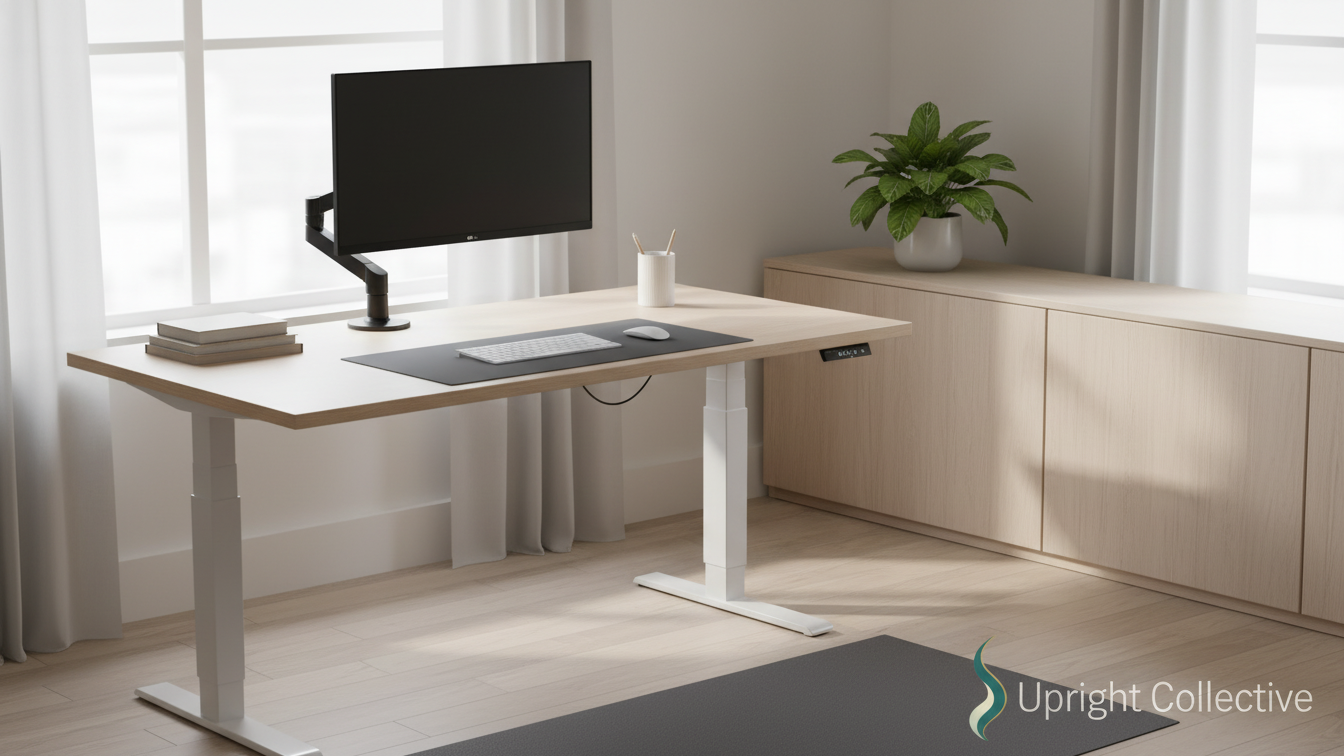
A sit stand desk is a simple cue to switch positions and protect your body.
- A sit stand desk is just a height-adjustable surface. The real value is regular position changes.
- Switching between sitting and standing cuts back and neck strain and keeps your brain more alert.
- Pick a desk for size, height range, stability, quiet motors, and easy one-button presets.
- Start light: about 15 minutes standing each hour, add time slowly, and listen when your feet or back complain.
- Use an anti-fatigue mat, flat supportive shoes, and a simple posture checklist for long-term comfort.
Long days at a desk creep up on you. First it is a little neck ache, then a tight low back, then the 3 p.m. slump that hits you like a truck.
A sit stand desk will not fix your entire life, but it can take real pressure off your body and brain. Used well, it becomes a simple tool that helps you move more, hurt less, and stay alert for longer.
This guide walks through what sit-stand desks really do, how to pick one that fits your space, and how to use it without wrecking your feet or your focus.
What A Sit Stand Desk Actually Does
A sit-stand desk is a height-adjustable work surface you can use sitting or standing. That is it. No magic. No wellness halo.
The real point is changing positions often. Your body hates long static holds. Eight hours in a chair is rough. Eight hours locked in a standing pose is rough in a different way. Switching between the two spreads the load through your joints and muscles.
You can do this with a full electric desk, a manual crank desk, or a converter that sits on top of a regular desk. The style matters less than how easy it feels to switch height. If changing positions is a hassle, you will go right back to sitting all day.
Real Benefits You Actually Notice
There is plenty of research on sitting and health, but let us keep this simple. Most people notice three main changes after they start using a sit stand desk on purpose.
Less Back And Neck Pain
When you sit, your hip flexors get short, your shoulders drift forward, and your neck cranes toward the screen. That combo lights up your low back and upper traps over time.
Standing for part of the day lets your hips open and brings your spine closer to a neutral position. You are still working, you are just not curled around your keyboard like a shrimp.
Key point: it is the switching that helps, not standing all day. If your lower back gets cranky while standing, your body is telling you it is time to sit again.
Better Focus And Energy
A long sit makes blood flow sluggish and your brain foggy. When you stand, your body naturally does small shifts and micro-movements. That light activity keeps you more awake.
You do not need to turn your office into a gym. Even 10 to 20 minutes of standing every hour can keep you sharper than an entire afternoon stuck in the chair.
Some people add a small under-desk treadmill for slow walking calls. If your budget allows, that combo works well for email and simple tasks, but it is overkill for plenty of folks.
A Healthier Long-Term Habit
You already know nonstop sitting is tied to higher risk of health problems. I will not scare you with charts.
A sit stand desk gives you a built-in reminder to move. It is one of those quiet habits that pays off over years: better joint health, better weight control, better mood.
Think of it as brushing your teeth for your spine. Boring, repeatable, effective.
Affiliate Disclosure
This site includes links to products, tools, and resources I personally find useful. While most links are helpful links to other content that relate to mine, you will also find affiliate links. If you buy through those links, I may earn a small commission at no extra cost to you. Your support helps me keep creating honest, helpful content.
How To Choose The Right Sit Stand Desk
You do not need the fanciest setup in the catalog. You do need a desk that fits your body, gear, and space.
Here are the basics to check.
Size and layout
Measure your room, then measure it again. Make sure the desk gives enough depth for a monitor at arm’s length and enough width for your keyboard, mouse, and whatever paper still lives in your life.
Height range
The desk should go low enough for seated typing and high enough for standing with relaxed shoulders and bent elbows. If you are not sure what that looks like for your height, a tool like the Standing Desk Size Calculator can give a starting point.
Stability
A wobbly desk will drive you nuts, especially if you type hard or use multiple monitors. Heavier frames and crossbars help. If you work with a loaded desktop PC, check the weight rating too.
Noise and speed
Electric sit stand desks are common now. Quieter motors matter if you share space or take calls all day. You do not need race-car speed, but you should not be waiting 20 seconds every time you change height.
Controls and memory presets
Memory buttons are worth it. Set a sit height and a stand height once, then hit one button to move between them. If you want a quick feature check, articles like How to Choose a Standing Desk: Features to Look Out For walk through good add-ons and specs.
Random but useful add-ons to consider:
- Cable tray so you are not yanking cords every time the desk moves
- Monitor arm to get the screen to eye level without a stack of books
- Desk hooks for headphones or a bag so the top stays clear
👀 Visit My Benable Page for Product Suggestions 👀
How To Use A Sit Stand Desk Without Wrecking Your Feet
Plenty of people buy a sit stand desk, stand for six hours on day one, and then swear the whole thing off because their feet, knees, and back are toast.
Do not do that.
Use these simple rules instead:
- Start with 15 minutes of standing every hour.
- Add 5 to 10 minutes per standing block each week.
- Switch earlier if your back or feet start yelling.
An anti-fatigue mat is one of the best small upgrades you can buy. It gives your feet a softer surface and reduces pressure on your joints. A basic model is fine; you do not need the one with bumps and ridges unless you like to fidget.
Shoes matter too. Thick, squishy sneakers sound nice but often feel unstable. A flat, supportive shoe usually beats a soft running shoe for standing work.
Keep this simple posture checklist nearby:
- Elbows bent about 90 degrees, shoulders relaxed
- Wrists straight, not cranked up or down
- Screen top at or slightly below eye level
- Weight shifting often, not locked in your knees
A Simple Sit Stand Desk Routine For A Full Workday
Here is one easy pattern you can test for a standard desk job. Adjust as you go, your body will tell you what works.
| Time block | Position | Focus |
|---|---|---|
| 9:00–10:00 a.m. | Sit | Deep work, planning, heavy typing |
| 10:00–10:20 a.m. | Stand | Email, light tasks, quick messages |
| 10:20–12:00 p.m. | Mix | Alternate 20 minutes sit, 10 stand |
| 1:00–3:00 p.m. | Stand | Calls and meetings when possible |
| 3:00–5:00 p.m. | Mix | Alternate based on comfort and focus |
Tack on a 2-minute movement break every hour. Shoulder rolls, ankle circles, a short walk to the kitchen, or a few squats next to your desk. Nothing fancy.
If you tend to lock in when you are busy, set a timer or use an app that nudges you to change height. Or go full analog and slap a sticky note on your monitor that says, “Stand now.”
A small under-desk rocker board can also keep your legs active while you stand, without turning your office into a gym.
Sit stand desk questions, answered fast
Are sit stand desks really worth it?
They are worth it if you use them to switch often, not stand all day.
Regular changes between sitting and standing reduce back and neck strain and keep you more alert.
How long should I stand at a sit stand desk?
Start with about 15 minutes of standing every hour.
Add 5 to 10 minutes per standing block each week and back off if your feet or back complain.
Do sit stand desks help with back pain?
They often help because you break up long sitting sessions and bring your spine closer to neutral.
You still need good posture, screen height, and a solid chair, but the change in position takes pressure off your joints.
Do I need an anti-fatigue mat for my sit stand desk?
A basic anti-fatigue mat is one of the best low-cost upgrades.
It gives your feet a softer surface, reduces joint pressure, and makes longer standing blocks easier on your body.
How high should I set my sit stand desk?
Set the height so your elbows are bent about 90 degrees with relaxed shoulders.
Keep your wrists straight and raise your monitor so the top of the screen is at or just below eye level.
Can a sit stand desk replace exercise?
No. A sit stand desk reduces stiffness and helps you move more during the day, but it does not replace real workouts.
Think of it as support for your body so your back and hips feel better when you do exercise.
Bringing It All Together
Long hours at a screen are not going away. A sit stand desk gives you a simple way to fight back against the stiffness, fatigue, and brain fog that come with them.
Pick a stable desk that fits your space, start with short standing blocks, and build a loose routine that mixes sitting, standing, and small movement breaks. Add a mat, a solid chair, and a good monitor setup as your budget allows.
None of this has to be perfect. It just has to be a little better than yesterday. Your back, your mood, and your work will feel the difference over time.